

Dark Glass Wine Bottle Mockup Set
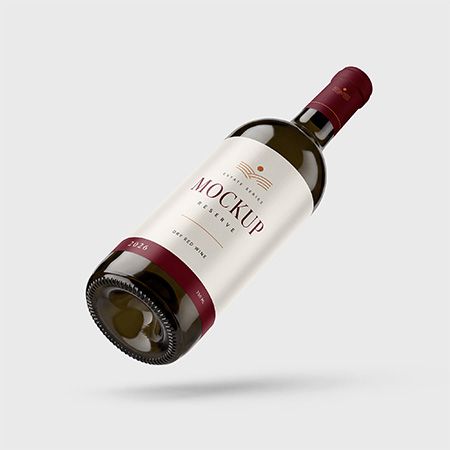
Present your label design with this wine bottle mockup set for Adobe Photoshop. It includes three views, so you can build a complete presentation for a winery, a private-label range or a new vintage.
3 PSD files · 6000 × 5000 px each · Smart Object editing
$14.00 $6.99 USD · 50% OFF
Prices exclude taxes. After all, any applicable taxes are added at checkout based on your country. Therefore, you will see the final total before payment.
Digital download · Adobe Photoshop required · Personal and commercial use under the Country4k License.
Three scenes for your wine branding
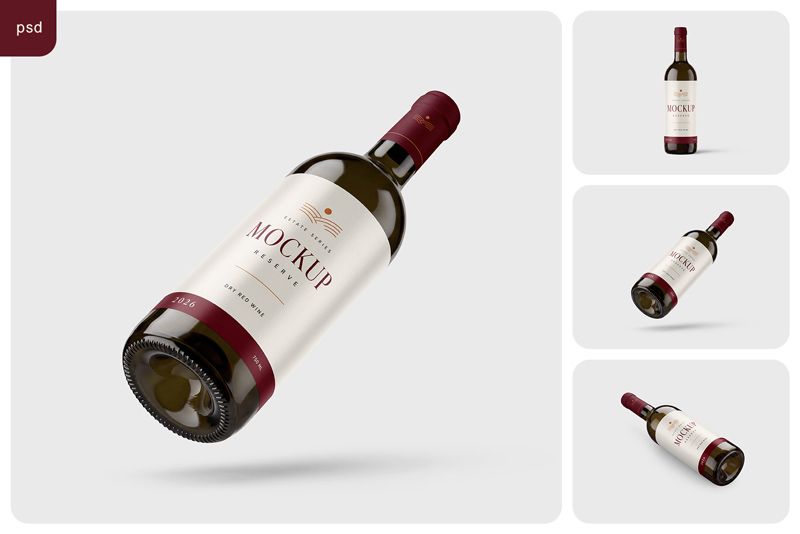
Choose a single scene for a cover image, or use all three to build a product gallery.
- Front view: show the full label, brand name and neck capsule in a straightforward composition.
- Floating diagonal view: add movement to a campaign image or a portfolio cover.
- Lying diagonal view: show the label around the bottle, the glass reflections and the detailed base.
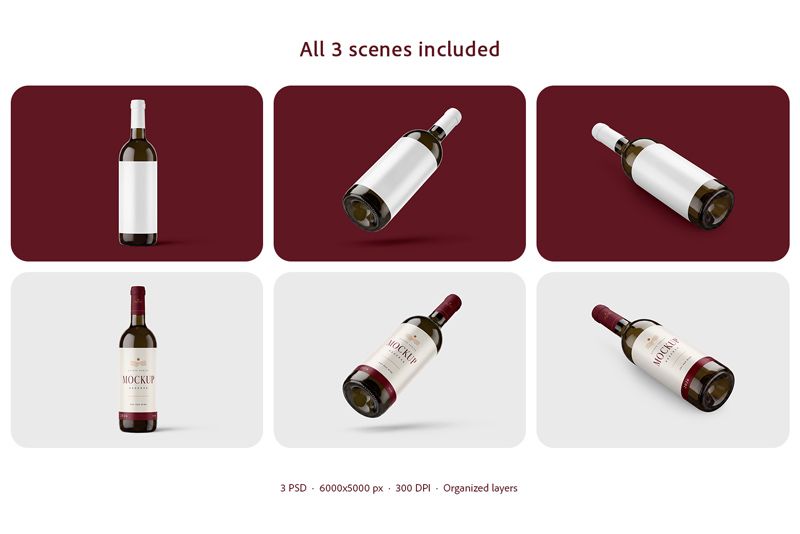
The six thumbnails show blank and styled examples of the same three included scenes. The set contains three PSD files.
Start with the front view to compare label ideas. Then use the angled scenes to present your chosen design.
How to edit your wine bottle mockup set
Use Smart Objects to replace the artwork on the label and neck capsule. For example, add a logo, a pattern or a solid color to test a new look.
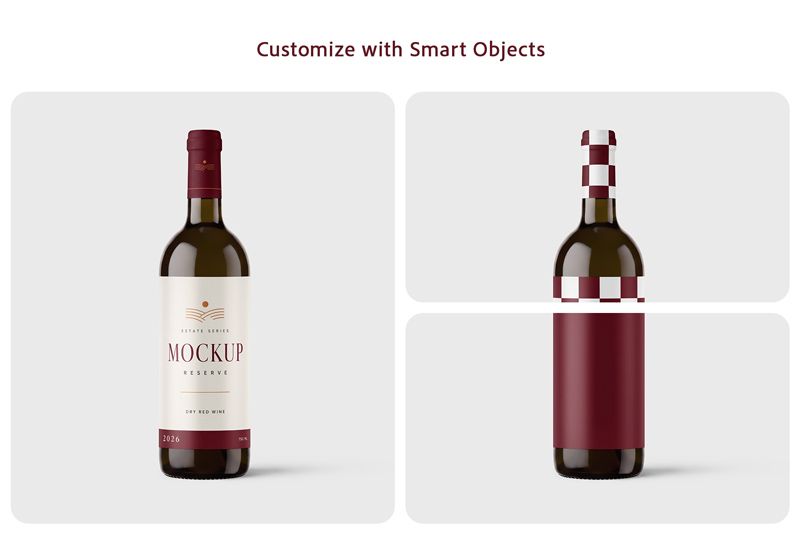
To create your presentation:
- Open a PSD scene in Adobe Photoshop.
- Open the relevant Smart Object and place your label artwork.
- Save the Smart Object, then repeat for the neck capsule.
- Return to the main PSD and export your finished image.
A help file is included. Moreover, you can also follow Adobe’s guide to editing Smart Objects.
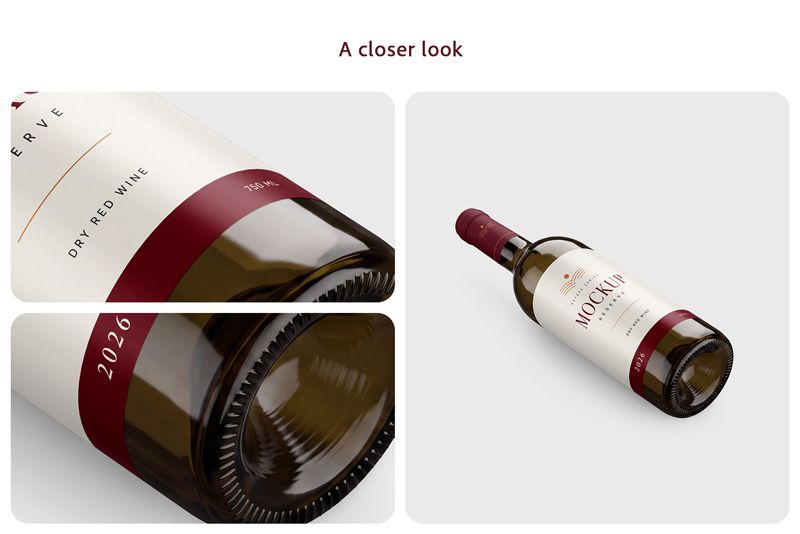
See the label and glass up close
The close-ups show the paper surface, printed lettering and label edge. They also reveal the glass reflections and the detail around the base.
Therefore, use these views to check the scene’s look before choosing it for your project.
File details:
- Included files: 3 layered PSD mockups and a help file
- Scenes: Front, floating diagonal and lying diagonal
- Canvas size: 6000 × 5000 px per PSD
- Resolution setting: 300 DPI
- Artwork editing: Smart Objects for the label and neck capsule
- File organization: Layers and folders
- Software: Adobe Photoshop
- Product type: Digital download
Preview collages are shown for reference and are not included as separate gallery files. Therefore, use your own artwork for your final visuals.
Before you buy
Software: Adobe Photoshop is required. The bottle shape and camera views match the scenes shown above.
License: You can use the mockups for personal, commercial and client projects under the Country4k Standard License. However, you may not resell or redistribute the source mockup files. Read the full license.
Refunds: You can request a refund within 14 days of purchase. To do so, contact us with your order details.
AI content disclosure: The mockup scenes were generated using artificial intelligence (AI). They are provided as layered PSD files with Smart Objects for adding your label and neck capsule artwork.
Present your next wine label
Use this wine bottle mockup set to bring your label and neck capsule artwork together in three views. Then export the finished images for a client presentation, portfolio or product gallery.
$14.00 $6.99 USD · 50% OFF
Prices exclude taxes. After all, any applicable taxes are added at checkout based on your country. Therefore, you will see the final total before payment.
Contact us with any questions before purchase.